![Layer 2.png]](https://help.bookvault.app/hs-fs/hubfs/Layer%202.png?height=31&name=Layer%202.png)
You can view and download invoices for your Bookvault payments directly from the Payments section of your account.
1. Open the Payments page
Log in to your Bookvault account and navigate to Payments from your Bookvault dashboard.
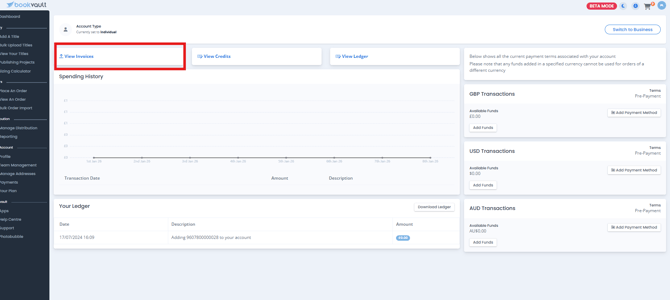
2. Select View Invoices
On the Payments page, select View Invoices.
3. Find the invoice you need
You'll be shown the invoices that have been paid to date.
From here, you can download an invoice individually or download several invoices together.
How do I download multiple invoices?
Use Select Invoices to Download and choose the invoices you need.
This allows you to download several invoices rather than downloading each one individually.
Where can I see my other payment information?
The Payments page is also where you can view your available funds, spending history and ledger.