![Layer 2.png]](https://help.bookvault.app/hs-fs/hubfs/Layer%202.png?height=31&name=Layer%202.png)
Whether Bookvault adds a barcode to your cover depends on where your book is being printed, the ISBN you're using and whether you're publishing through Bookvault Publishing.
If you're publishing through Bookvault
If you've chosen to publish with Bookvault and are using one of our registered ISBNs, you have two options:
- Allow Bookvault to automatically create and add the barcode to your cover artwork.
- Download the barcode from your Publishing Projects dashboard and add it to your cover artwork yourself.
How to download your barcode
Once your ISBN has been assigned:
- Go to Publishing Projects.
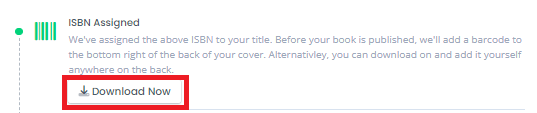
- Find your project and select Download Now for the barcode.
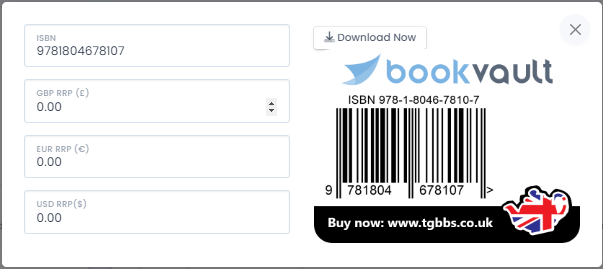
- Enter the retail prices requested in GBP, EUR and USD.
- Select Download Now to save the barcode ready to add to your cover.
What if my cover already has a barcode?
If your cover artwork already contains a barcode, make sure you untick “Add barcode to cover” when uploading your cover file.
This option is toggled on by default.
If you leave it selected, Bookvault may add another barcode to artwork that already contains one.
Where should I place my own barcode?
If you're adding the barcode to your cover artwork yourself, place it on the rear cover, towards the spine.
Use the downloadable Bookvault cover template as your guide for the correct placement.
Any required clearance from the edge of the cover should be measured from the trim edge, not from the outer bleed area.
Books printed by Bookvault UK
If your order is being printed at Bookvault UK and you're using either:
- Your own ISBN, or
- A Bookvault dummy ISBN
Bookvault won't automatically add a barcode to your cover, provided you untick the barcode option when uploading your cover.
Books printed by Bookvault US, Canada or Australia
Books produced through Bookvault's US, Canadian or Australian print partners require a barcode on the back cover.
If your artwork doesn't already contain one, Bookvault's system will add the barcode when the order is sent to the print partner.
The standard barcode generated is:
38.1mm wide × 25.4mm tall
It is positioned:
- 6.35mm (0.25in) from the bottom of the cover
- 6.35mm (0.25in) from the spine