![Layer 2.png]](https://help.bookvault.app/hs-fs/hubfs/Layer%202.png?height=31&name=Layer%202.png)
When you set up a Bookvault Publishing Project, Bookvault can add a copyright page to your book as part of the publication process.
How does the Bookvault copyright page work?
When you set up a Bookvault Publishing Project, you can choose which page of your interior file should contain the Bookvault copyright information.
Bookvault does not insert an additional physical page into your book.
Instead, the copyright information is placed onto the existing page number you select.
Because of this, the page you choose should be left blank in your uploaded interior file so the Bookvault information can be added without overlapping your own content.
Where will the copyright information appear?
Within your Publishing Projects dashboard, choose the page number where you want the Bookvault copyright information to appear.
The information will then be applied to that page when your interior file is processed.
What does the Bookvault copyright page look like?
The copyright page generated through your Publishing Project contains the publication information required for your book.
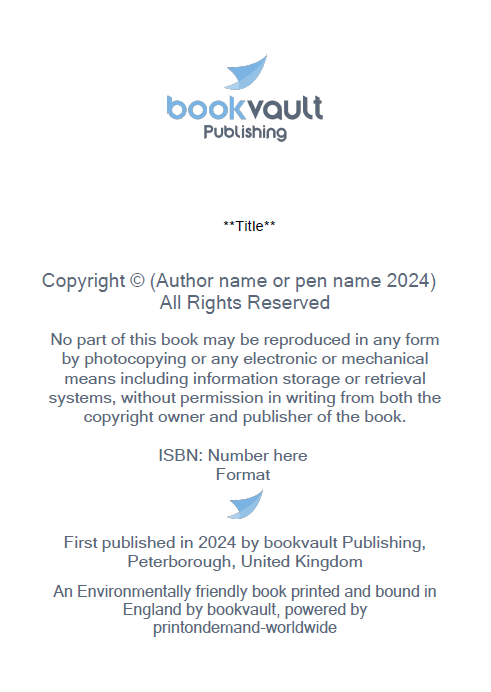
Can I use my own copyright page?
Yes.
If you would prefer to include your own copyright page within your interior artwork, set the copyright page number to:
0
This disables the Bookvault-generated copyright information.
Your own copyright page should contain the relevant publishing information for your book, such as:
- ISBN
- author or pen name
- book format
- copyright information
What if I change the copyright page setting after uploading my files?
Changing the copyright-page setting does not automatically change an interior file that has already been uploaded.
If you change the page number or set it to 0, you will need to re-upload your interior file for the new setting to take effect.
The previously uploaded file will otherwise remain linked to the title.
Can I use the Bookvault logo on my own copyright page?
Yes. If you're creating your own copyright page and require the Bookvault logo, keep the existing Bookvault logo download links currently provided at the bottom of this article.