![Layer 2.png]](https://help.bookvault.app/hs-fs/hubfs/Layer%202.png?height=31&name=Layer%202.png)
Step 1: Start Your Instant Quote
Head to Bookvault and click "Get Your Quote Now!" on the homepage. This launches the step-by-step title builder, which walks you through every printing option and updates your live preview and quote as you go.
Step 2: Choose How You Want to Start
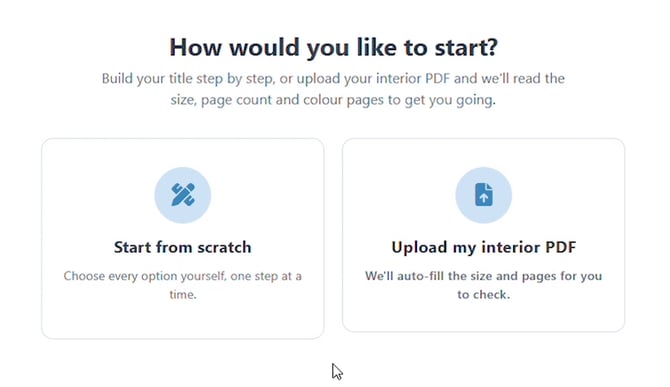
Next, decide how you'd like to begin. Choose "Start from scratch" to select every option yourself one step at a time, or "Upload my interior PDF" and Bookvault will automatically read your file to fill in the size, page count, and colour pages for you to check. This guide follows the "Start from scratch" path.
Step 3: Select Your Binding Type
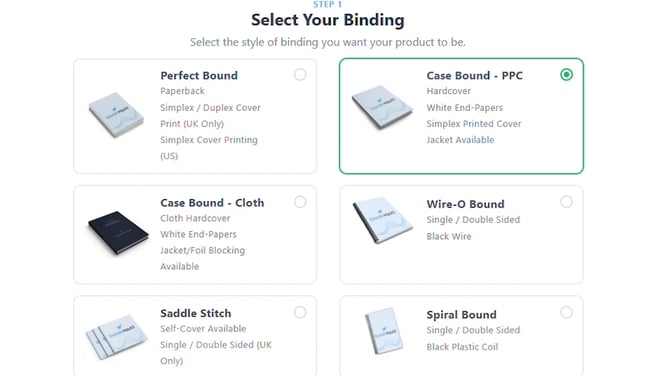
Choose the binding style for your book: Perfect Bound (paperback), Case Bound in PPC or Cloth (hardcover), Saddle Stitch, Spiral Bound, or Wire-O Bound. Each card lists its cover style and print availability — some bindings only print in certain countries, and your choice here can unlock or limit bespoke finishing options later. This example selects Case Bound - PPC for a hardcover with a printed cover and an optional dust jacket.
Step 4: Select Your Lamination Finish
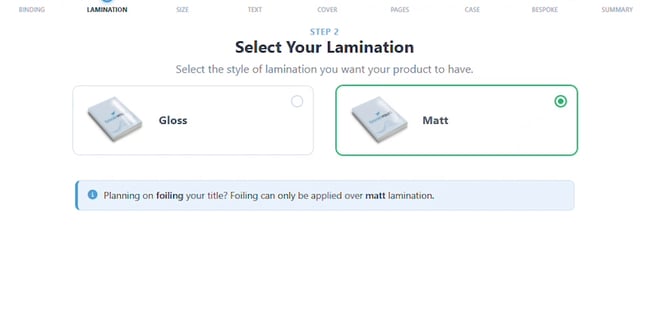
Pick a Gloss (shiny) or Matt (non-reflective) finish for your cover. Keep an eye on the note here: foiling can only be applied over a matt lamination, so this example chooses Matt to keep bespoke foiling options open later.
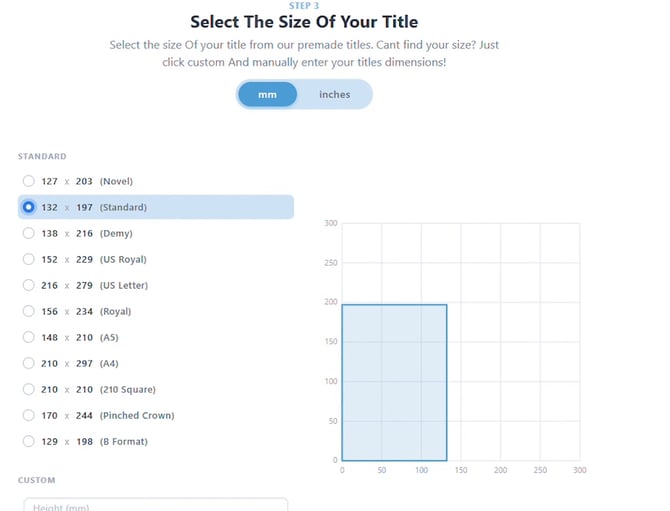
Step 5: Choose the Size of Your Title
Select a standard trim size in millimetres or inches — Novel, Standard, Demy, US Royal, A5, A4, and more — or enter custom height and width dimensions if your title doesn't match a preset. The live graph on the right shows your selected dimensions to scale as you choose.
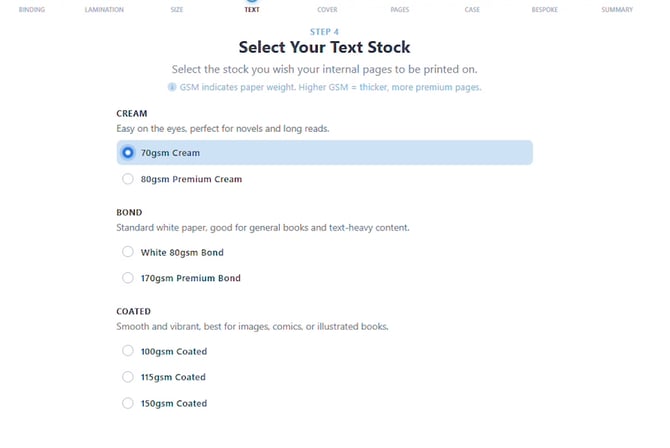
Step 6: Select Your Text (Interior) Stock
Choose the paper your interior pages will print on: Cream (easy on the eyes, ideal for novels and long reads), Bond (standard white paper for general and text-heavy books), or Coated (smooth and vibrant, best for images, comics, or illustrated books). Each option lists its GSM weight — higher GSM means thicker, more premium pages. This example selects 70gsm Cream, and the live preview updates to show the warmer page tone.
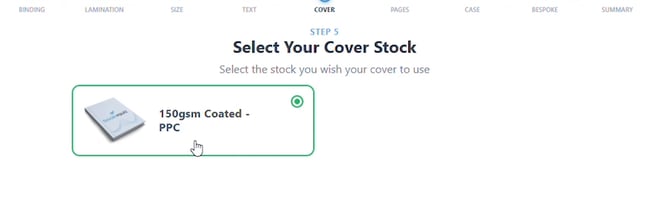
Step 7: Select Your Cover Stock
For Case Bound titles, Bookvault uses 150gsm Coated cover board — the stock printed under the dust jacket (or as the visible cover if you skip the jacket). This option is pre-selected for you automatically based on the binding you chose.
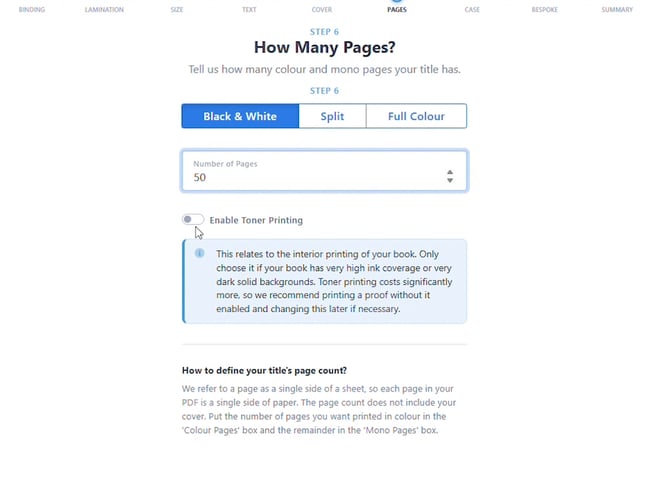
Step 8: Set Your Page Count and Print Colour
Enter the number of pages in your title, then choose whether they print in Black & White, Split, or Full Colour. If your book has very high ink coverage or solid dark backgrounds, you can enable Toner Printing — but this adds cost, so Bookvault recommends printing a proof first and enabling it later only if needed. This example prints 50 pages in Black & White.
Step 9: Choose Your Cased Options
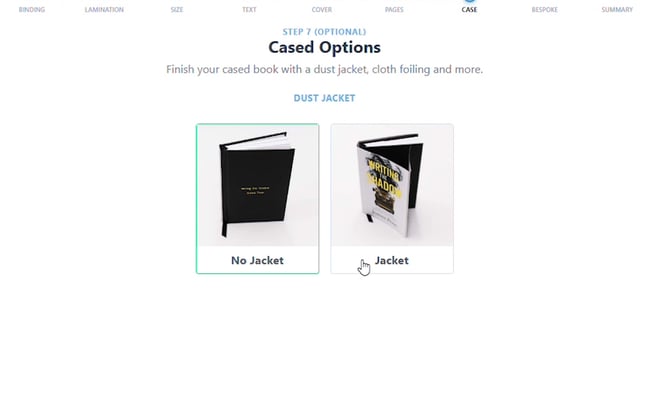
This optional step only appears for Case Bound titles: finish your hardcover with a Dust Jacket or go with No Jacket for a plain cloth-style case. Choosing a jacket also unlocks extra foiling options later in Make It Bespoke. This example adds a jacket.
Step 10: Explore Bespoke Finishes
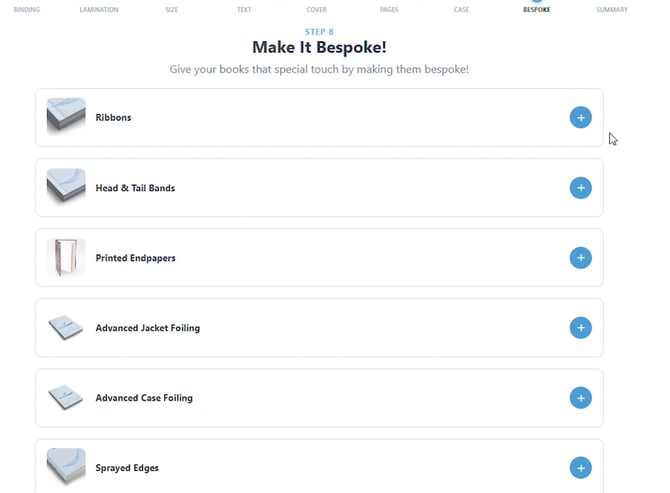
Case Bound titles unlock the widest range of bespoke touches: Ribbons, Head & Tail Bands, Printed Endpapers, Advanced Jacket Foiling, Advanced Case Foiling, and Sprayed Edges. Which ones are available depends on the binding, lamination, and jacket choices you made earlier — click the + next to any option to add it and customise the details.
Step 11: Review Your Quote
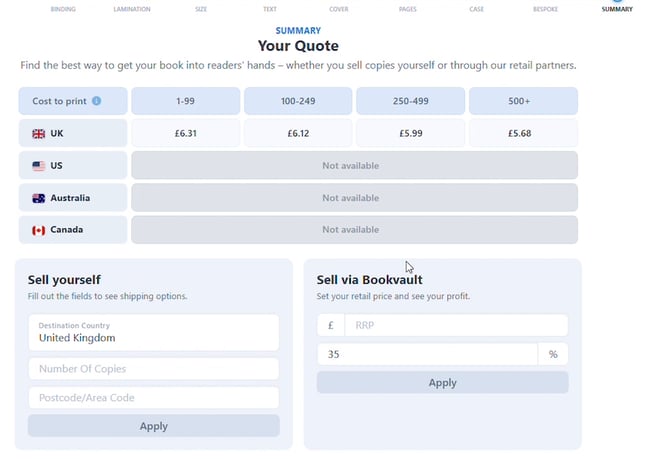
Your summary page shows the cost to print at different quantity tiers and by country, plus two ways to get your book to readers: "Sell yourself" (enter your destination and copy count to see shipping) or "Sell via Bookvault" (set your retail price to see your profit margin). Every option you selected is listed above — click any of them to jump back and amend it before you complete your order.
Step 12: Download Your Sizing Templates
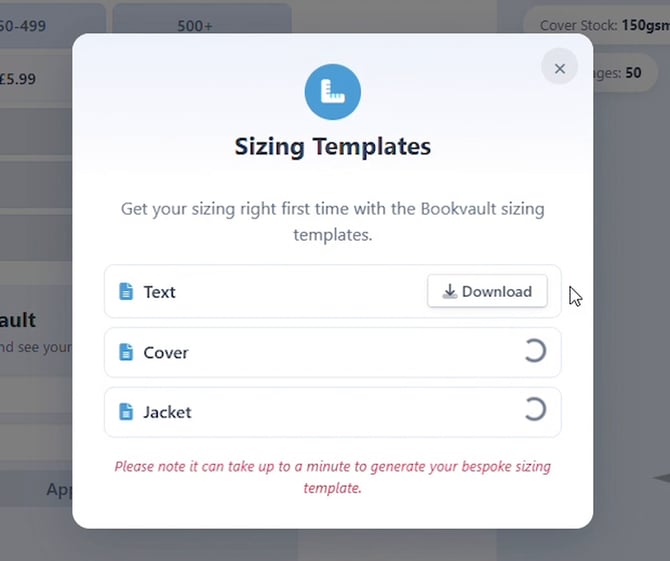
Before placing your order, download the Text, Cover, and Jacket sizing templates from the "Download Sizing Templates" button. These help make sure your interior, cover, and jacket files are sized correctly the first time — note that bespoke templates can take up to a minute to generate.
Step 13: Claim Your First-Order Discount
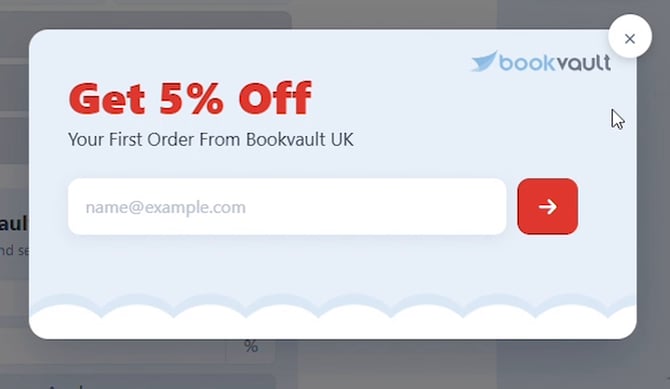
New to Bookvault? A "Get 5% Off" prompt appears offering a discount on your first UK order — just enter your email to claim the code before you check out.
Frequently Asked Questions
Is Bookvault's instant quote tool free to use?
Yes. Building your title and getting an instant quote is free, with no account or payment required until you actually place an order.
Can I skip building step by step and just upload my file?
Yes. Choose "Upload my interior PDF" on the second screen and Bookvault will auto-fill your size, page count, and colour pages based on the file — you can still review and edit every field before finalizing your quote.
What's the difference between Case Bound - PPC and Case Bound - Cloth?
Case Bound - PPC has a printed paper cover under an optional dust jacket, while Case Bound - Cloth uses a cloth hardcover with white end-papers and supports jacket or foil blocking. Both are hardcover bindings but give a different look and feel.
Do I need to choose a dust jacket?
No, a dust jacket is optional.
If you choose No Jacket, your Case Bound PPC book will use its printed case cover as the finished outer cover.
If you choose Jacket, a separate printed dust jacket will be added around the case.
Why can't I select foiling on this title?
Foil detailing can only be applied over a matt lamination. Choose Matt in the lamination step if you want Advanced Jacket Foiling or Advanced Case Foiling to appear under Make It Bespoke.
Is toner printing required?
No, it's optional and only recommended if your book has very high ink coverage or solid dark backgrounds. Since it adds cost, Bookvault suggests printing a proof without it first and enabling it later only if necessary.
Are all binding types available in every country?
No. Some bindings — like Perfect Bound's Simplex Cover Printing options — are only available to print in specific countries (for example, UK only or US only), which is shown directly on each binding card.
Can I change an option after I've moved on to a later step?
Yes. On the final quote summary page, click any of the selections listed above the tables to jump back to that step and amend it before completing your order.
How long do sizing templates take to generate?
Standard templates are typically instant, but bespoke templates — like ones for a jacket or foiling — can take up to a minute to generate.